
Front End
Overall
Section titled “Overall”The Front End will facilitate the use of facilities created by the smart contract. Participants can fully configure their on-chain settings from this user-friendly interface and perform fund-related operations.There are multiple sections with specific actions that are displayed to users based on their status on the stacking pool.
Status type
Section titled “Status type”- Viewer - the user is not logged in.
- NormalUser - the user is logged in, but did not asked to join the stacking pool.
- Stacker - the user has stacked his STX through the smart contract and will has the information correlated to his actions on-chain.
- Liquidity Provider - it is the deployer of the smart contract, but it can be changed to anyone. He provides liquidity in the smart contract that is afterwards unlocked by the Stackers. The Stackers gets their rewards from the STX locked by the liquidity provider, on the current exchange rate BTC <-> STX and the liquidity provider receives the BTC to his specified address.
Dashboard pages
Section titled “Dashboard pages”-
Home
-
Dashboard - everyone
-
Profile - only stackers and liquidity provider
- delegate amount function
- revoke delegated function
- disallow contract caller
- extend delegate function
- claim rewards for specified block height function
- leave pool
+ Liquidity provider only
- deposit funds to be locked
- lock funds
- unlock extra locked STX
- set a new liquidity provider
- set BTC address for getting rewards
Profile UI based on the user’s status
Section titled “Profile UI based on the user’s status”Viewer
Section titled “Viewer”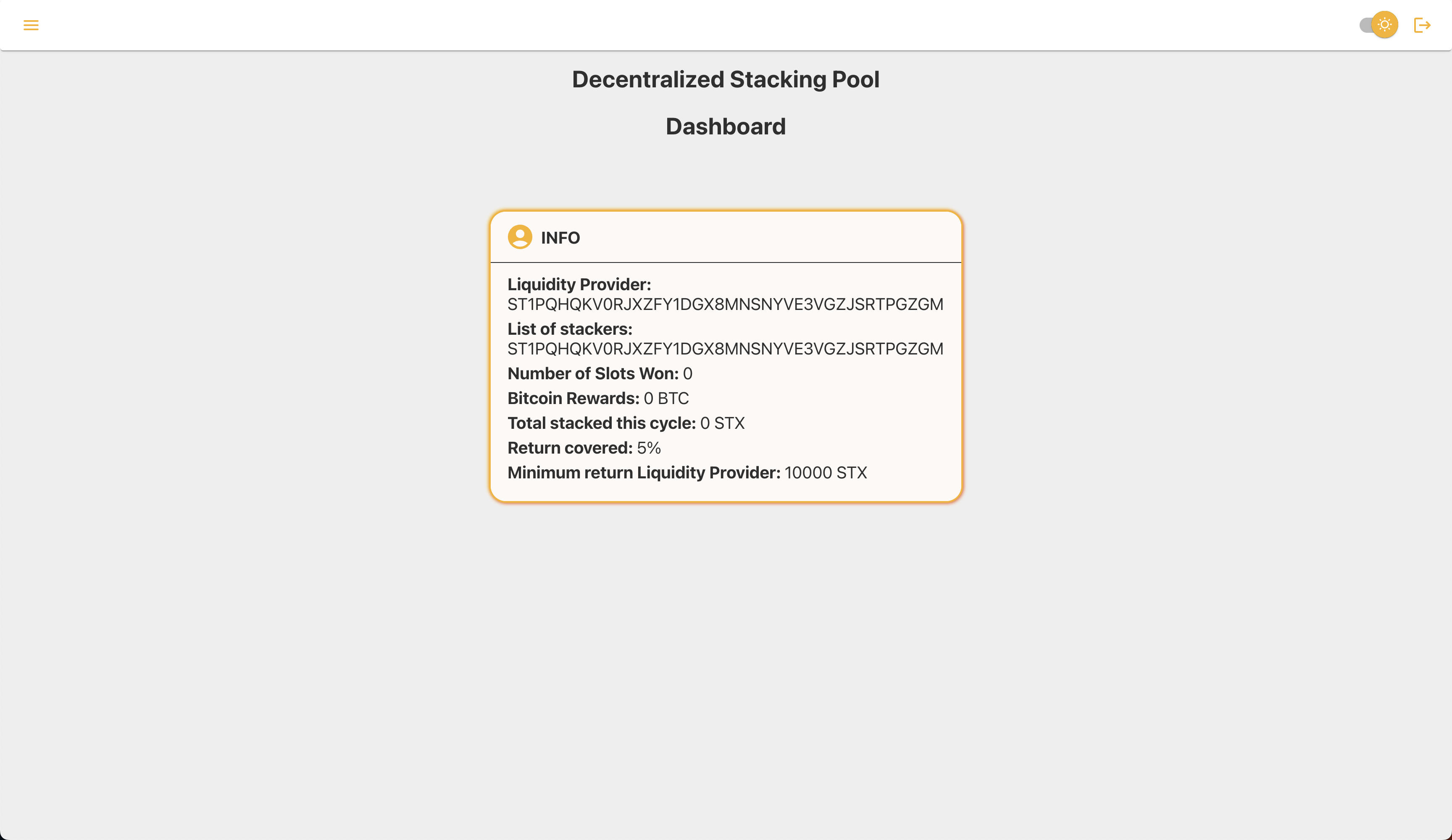
Stacker
Section titled “Stacker”Stacker before allowing Stacking Pool in PoX contract and joining pool
Section titled “Stacker before allowing Stacking Pool in PoX contract and joining pool”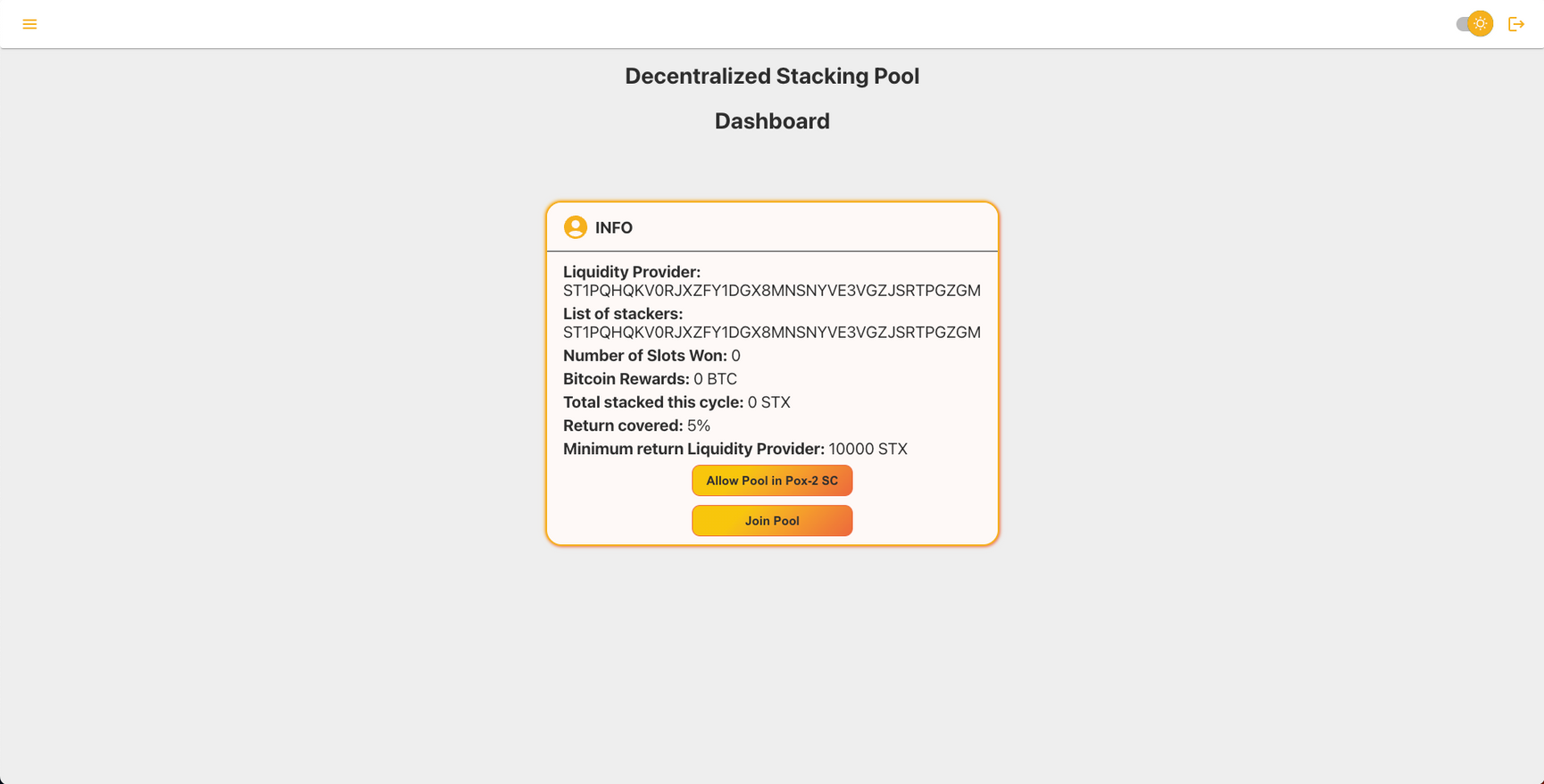
Stacker after allowing Stacking Pool in PoX contract and joining pool
Section titled “Stacker after allowing Stacking Pool in PoX contract and joining pool”Profile section shows up in the Navigation Menu
Section titled “Profile section shows up in the Navigation Menu”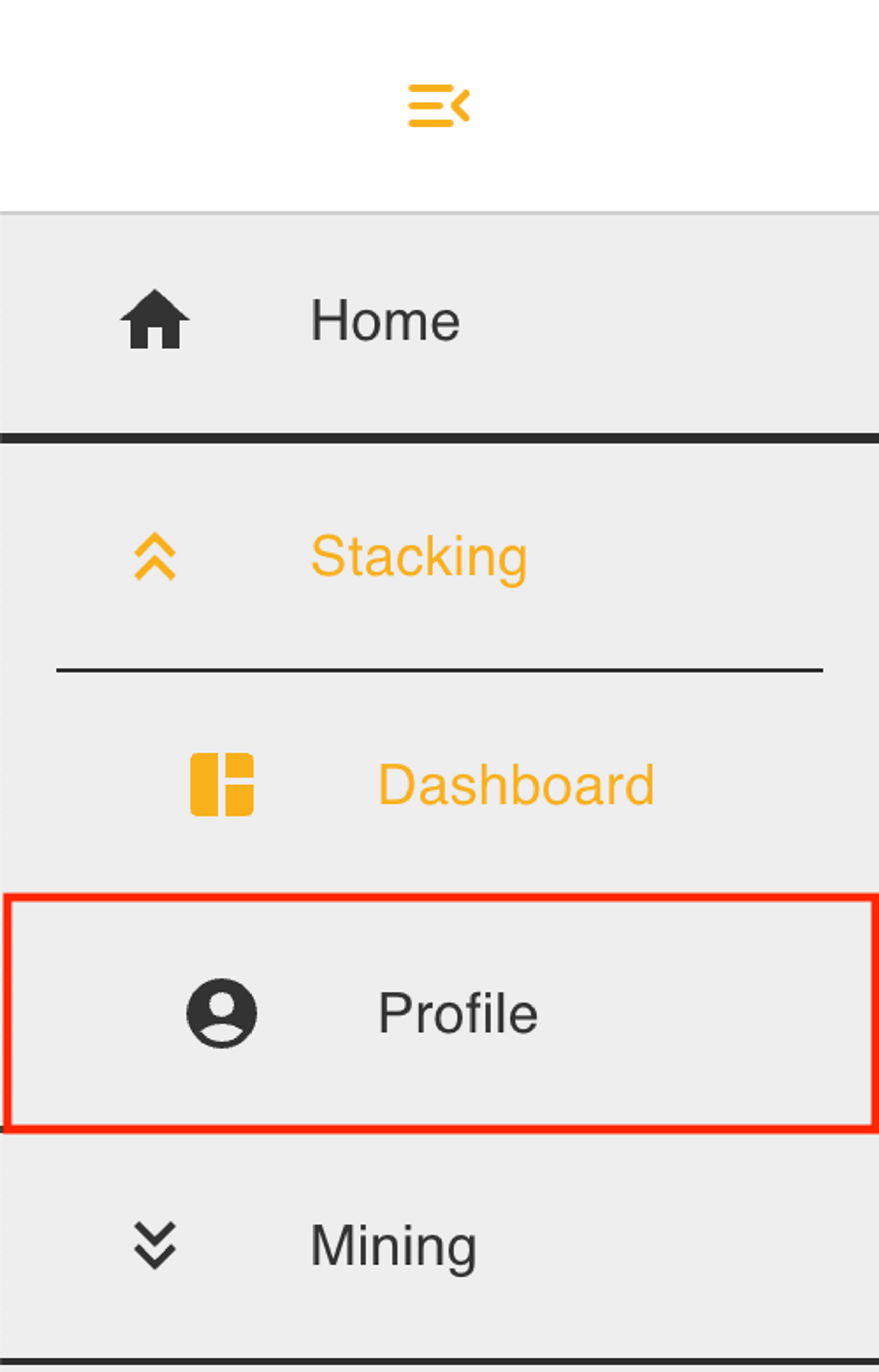
Stacker Profile
Section titled “Stacker Profile”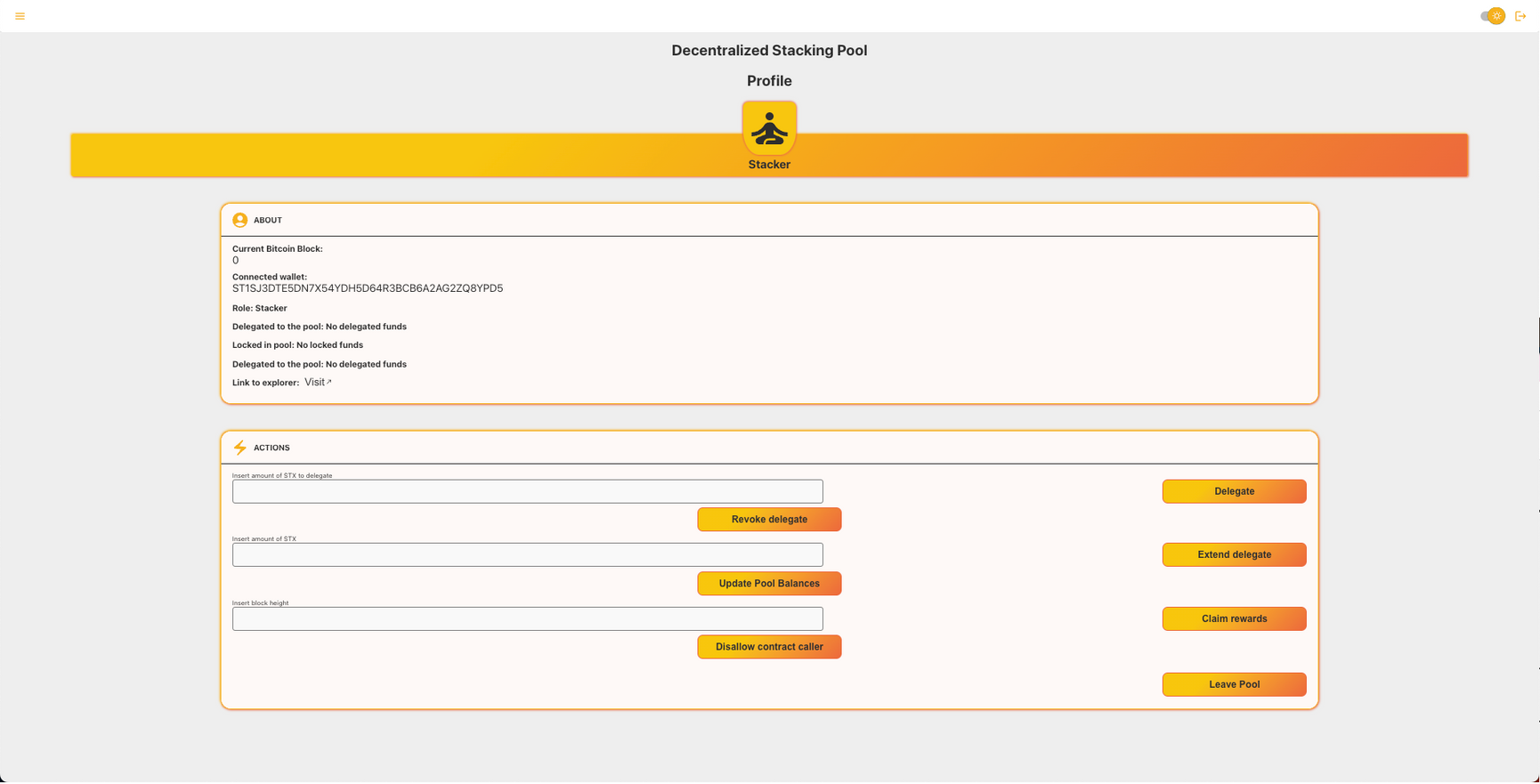
Liquidity Provider
Section titled “Liquidity Provider”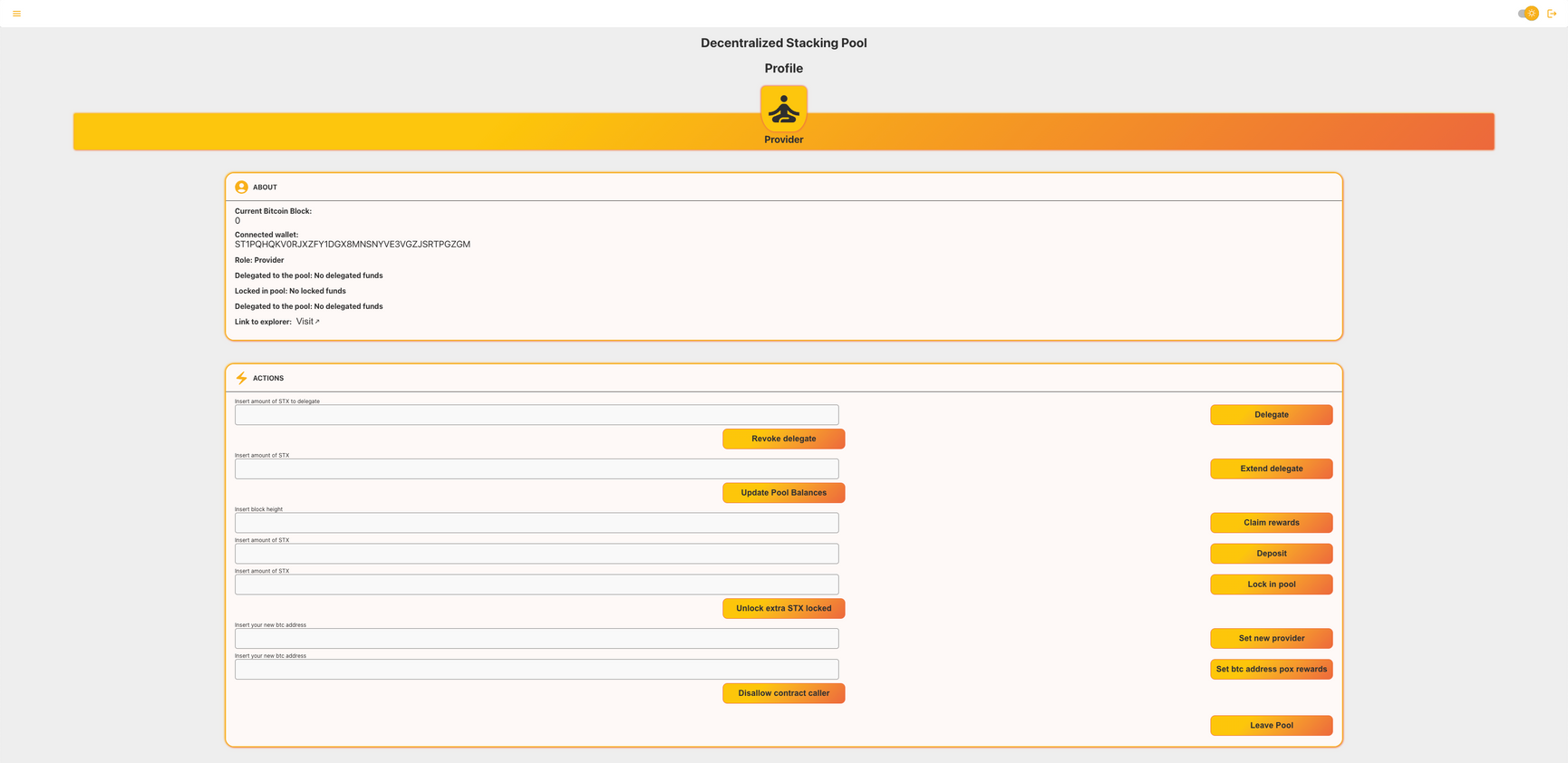
How to link it to the sc
Section titled “How to link it to the sc”All the contracts are linked in the contract.ts [src\consts\contract.ts]. All the data-related functions are converted from Clarity values to typescript values in their defined functions in the src\consts\readOnly.ts file. All the smart contract calls are built-in src\consts\smartContractFunctions.ts where the arguments are converted from typescript values to Clarity values.